Harnessing Grocery Shopping
First, a disclaimer. Auchan doesn’t sponsor this post. 😉
I usually buy groceries in person, mostly at Lidl. Some weeks there’s no time to visit a shop. My wife has night duties. We have four kids. Weekends get busy. In those weeks I order online at zakupy.auchan.pl. Clicking through the online shop is tedious. I add the same “mąka” to the cart every time. Sometimes I hunt for the version of a product that’s on discount this week.
I had also been reading and watching Anthropic’s material on building harnesses. A harness is the code around a model. It gives the model data, limits what it can do and checks its output. I wanted to try building one on a real problem. I picked grocery shopping.
What it does
The app is called
auchan-shopping-harness. It runs
on my own computer. I paste my list the way I’d write it on paper: mleko 2, chleb,
ser żółty, gouda albo edam. The app matches each line to a product. It uses my past orders
to pick the one I usually buy. It also looks at current promotions. It asks only about the
lines it isn’t sure of.
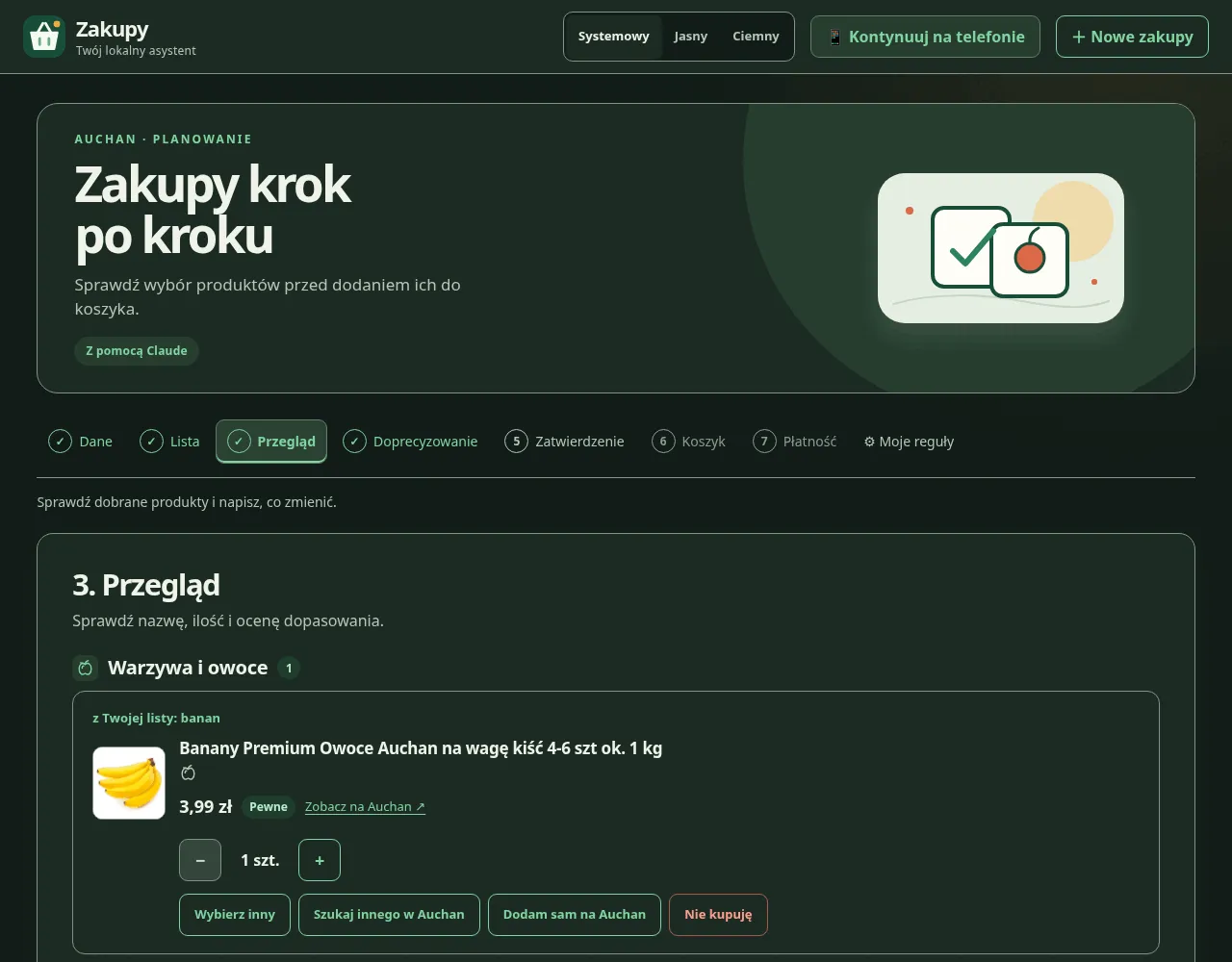
Then I approve the basket, and the app adds everything to my Auchan cart. The last step is mine. I open Auchan, check the cart and pay. The app never pays and never places an order. It can’t open the payment pages, even by mistake.
When I pick a different product than the one it suggested, the app remembers. The next trip starts with my choice. One rule is there from the start: all Szymanowska flours are blocked.
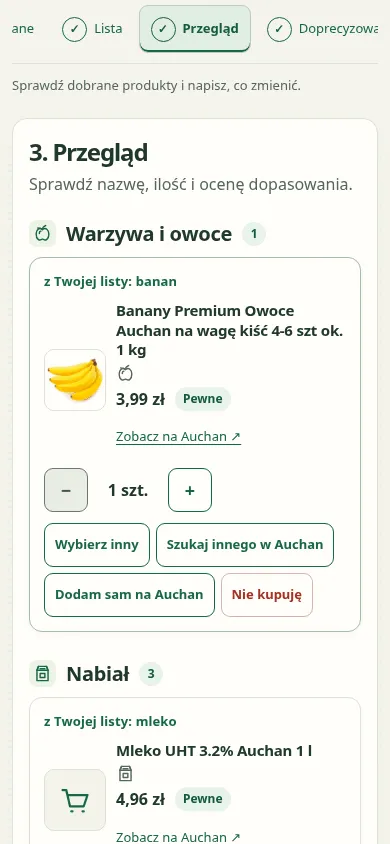
I can start the list at my desk and finish it in the kitchen. The app shows a QR code. My phone scans it and opens the same trip at the same step.
From a skill to a harness
The first version, in June, was a Claude Code skill called /zakupy. Claude drove a Chrome
window. It searched the shop, picked products and clicked the add buttons itself.
In November I rebuilt it as a harness. Most of the work moved into plain code:
- A local database holds my orders, prices, promotions and learned rules.
- A planner ranks products by how well they match the line, how often I bought them and their price.
- The cart is filled over Auchan’s own HTTP endpoints in small batches. A second run never adds anything twice.
Claude now has a narrow job. It reads a free-form list. It picks products from the candidates the planner found, or asks me when it isn’t sure. It also handles requests like “weź większe mleko” (“take the bigger milk”). It runs with no tools and no access to my files. It can answer only with a fixed set of operations. The server checks each one before anything changes. Nothing happens until I click to accept. Claude is optional. Without it, I write one product per line and the app asks about every doubtful match.
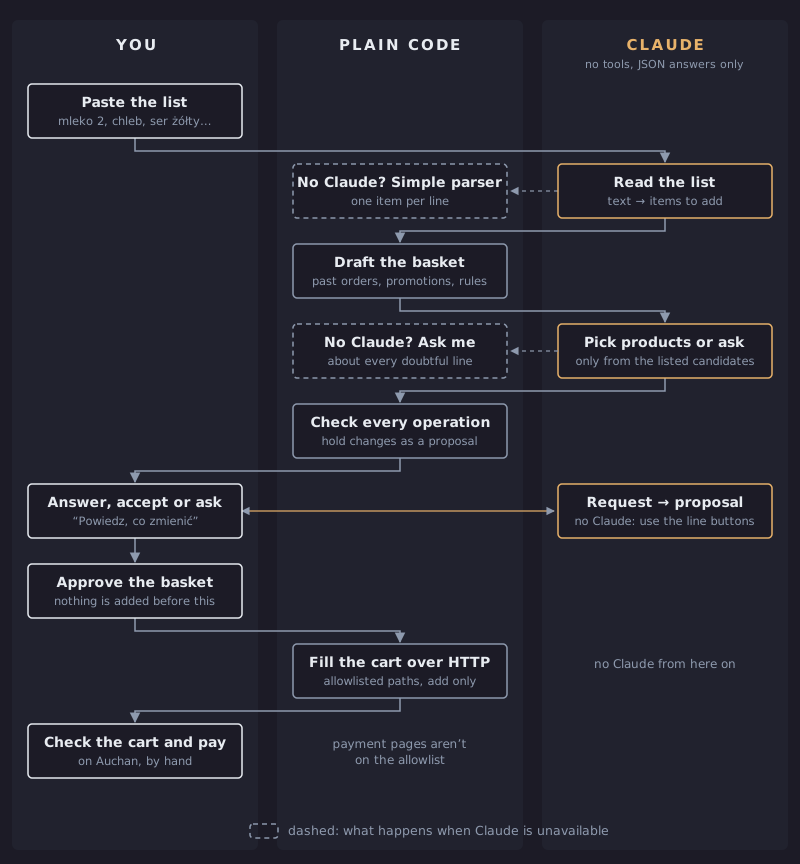
The app has guards around Auchan too. It talks to the shop only through a short list of allowed addresses. The checkout and payment pages aren’t on that list. If Auchan refuses a request, the app stops. It doesn’t retry or try to get around Auchan’s bot protection. Claude never sees my login, address or order numbers. It gets only the list, product names and prices.
The chat version in Claude Code still exists. Claude there still has browser tools, so two hooks watch them. One blocks the checkout and payment pages. The other blocks the browser while the cart is being filled.
The catch
Matching a line of text to a product is harder than it looks. Ask for “pierś z kurczaka” and you might get “kiełbasa dla psa o smaku piersi z kurczaka”, a dog sausage that tastes like chicken breast. Claude read the search results and didn’t see the difference between the two products. Both names say chicken breast. Only one of them is for people.
The app has a few defenses. It rates how well each product matches the line and shows the rating as a badge. It prefers products from my past orders. It asks when it isn’t sure. Still, a wrong match can slip through. I look at the cart before I pay, so the dog doesn’t get my dinner.
Verification is the key
The app is about elegance and convenience. A trip is now a list, a few answers and one look at the cart before paying. The most important part of the design is verification. It happens at every step. The server checks every change Claude proposes. The app compares the filled cart with the basket I approved. Finally, I check the cart on Auchan before I pay.
And yes, I know the old automation joke. I spent several evenings automating a job to save a few half-hours.
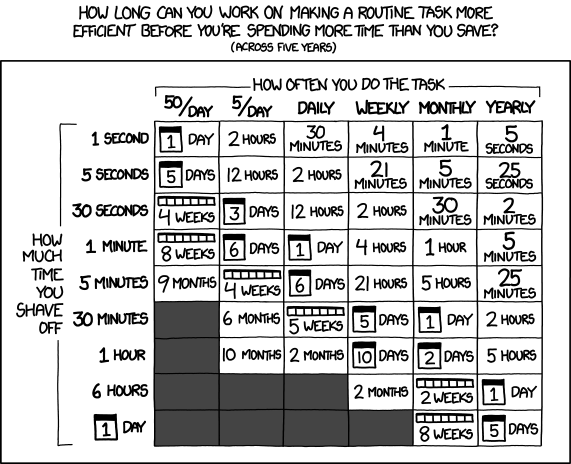
I haven’t done the math. 🙂
You can do your shopping this way too. The source is on GitHub, and the README explains how to set it up.